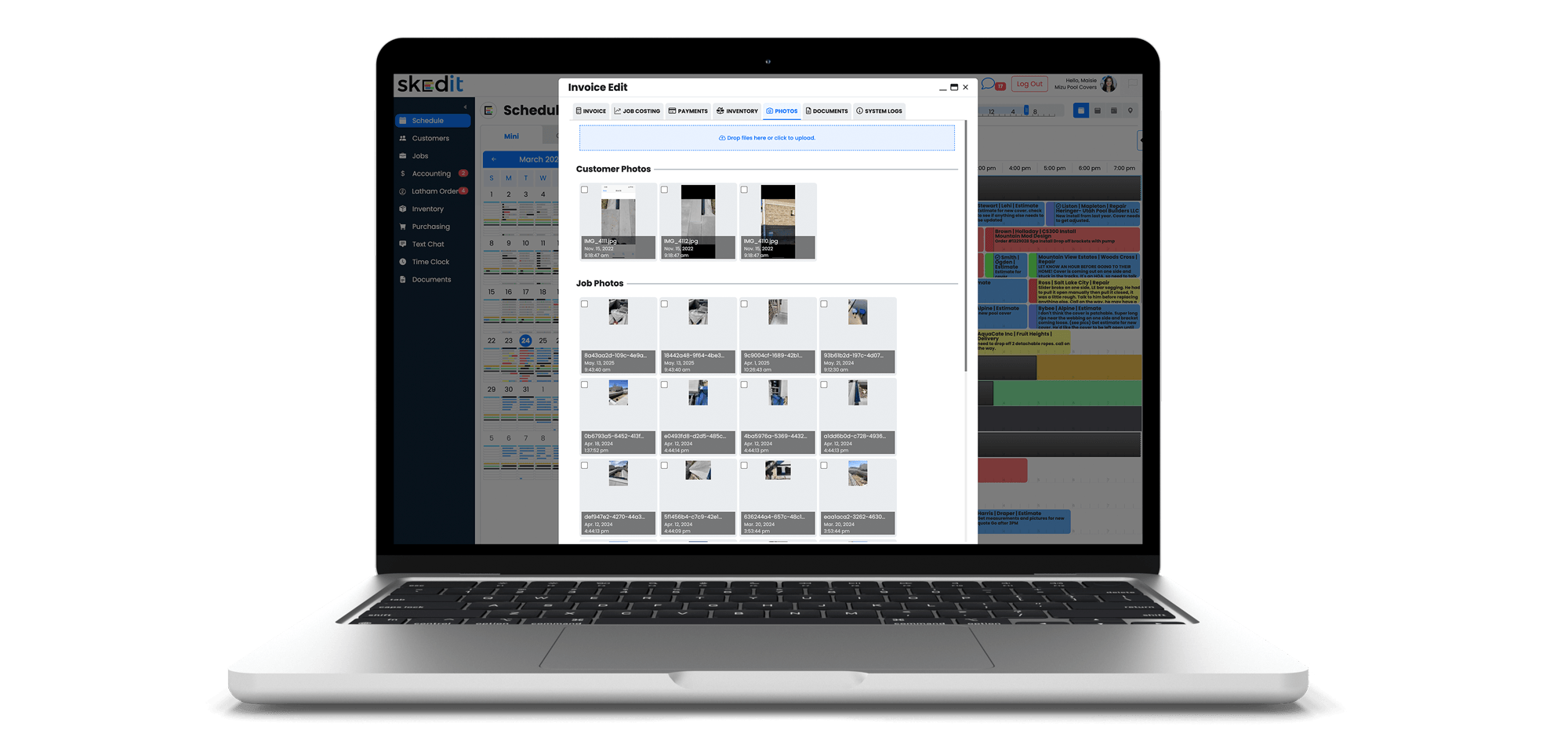

This feature allows you to include jobsite photos directly in invoices or quotes emailed to customers, giving them clear visual context for the work performed.
Photos taken at a job can be selected and attached to an invoice before it’s sent. This is especially useful for showing progress updates, before-and-after comparisons, or highlighting where materials were placed or delivered.
How to Add Photos to an Invoice Email
- Open the invoice attached to a job
- Select the Photos tab at the top
- Use the checkbox in the top-left corner of each photo to select the images you want included
- Return to the Invoice tab
- Click the Email button at the bottom of the invoice
You can test this feature by emailing the invoice to yourself or by holding Control while clicking the invoice link on a PC. The selected photos will appear directly below the invoice line items in the email.
This feature helps reduce questions, improve transparency, and clearly demonstrate the value of the work your team has completed.