Running a service business means juggling countless details—from scheduling appointments to ensuring every job is completed right the first time. That’s where Skedit’s appointment management tools come in, giving your team the structure and visibility they need to stay organized, prepared, and accountable from scheduling through job completion.
Accessing Your Appointment Tools
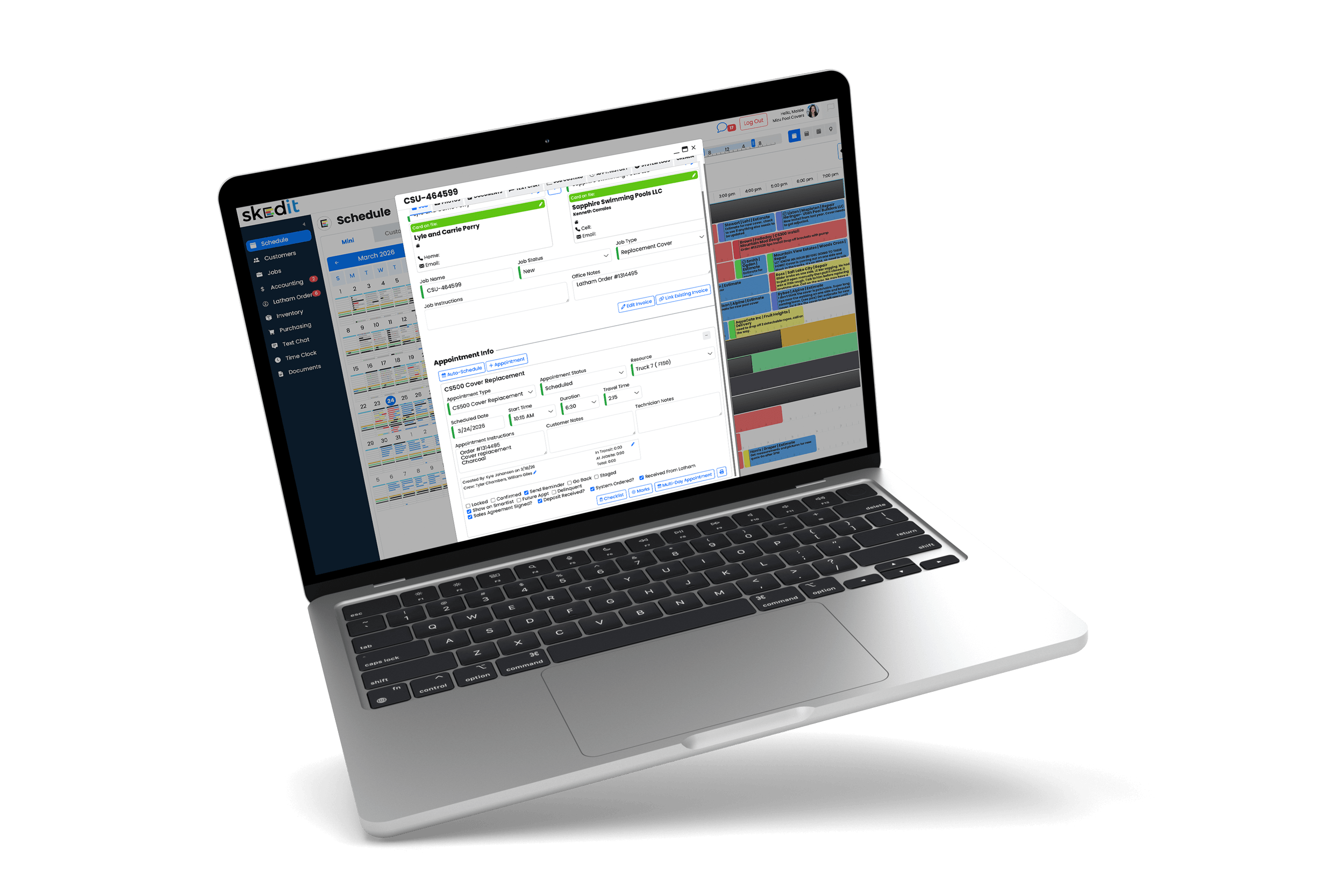
To view these tools, open any job from your Schedule. Under the appointment information, you’ll see several notes, timestamps, and checkboxes that help track job readiness, execution, and follow-through.
Below the job description and work instructions, you’ll find:
- Who created the job and the date it was created
- Which technician completed the job and when
- The crew involved if multiple technicians were assigned
- Time in transit, time on site, and total job time
Key Appointment Controls
Beneath that are several key appointment controls:
Locked
Prevents an appointment from being dragged or moved on the schedule. This is ideal for customers who request a morning or specific-time visit. We recommend pairing this with a note for technicians outlining the time requirements.
Confirmed
Automatically checked when a customer accepts a quote attached to the job, or it can be manually selected by your team to indicate the customer has authorized the work.
Go Back
Used for reporting to distinguish new, billable work from return visits such as warranty work or fixes. This metric helps measure how efficiently your crews are completing jobs the first time.
Staged
Marks the job as staged and adds an “S” to the appointment on the schedule. This is commonly used by teams that verify materials or prep jobs in advance to ensure crews can start work on time.
Checklist
Checklists can be configured in Settings → Appointments → Appointment Types → Checklist Questions. These questions appear as a pop-up when a technician taps Complete in the mobile app, reminding them to perform required tasks before leaving the jobsite—such as taking photos, shutting off valves, or verifying work details.
Marks
Marks allow you to track positive or negative notes tied to specific jobs and employee performance. Future enhancements will expand this feature to provide employee-level summaries, helping identify training needs and incentivize high-quality work.
The Bottom Line
Together, these tools give your team better visibility, improve job readiness, and create consistent processes that lead to higher-quality service and fewer callbacks.