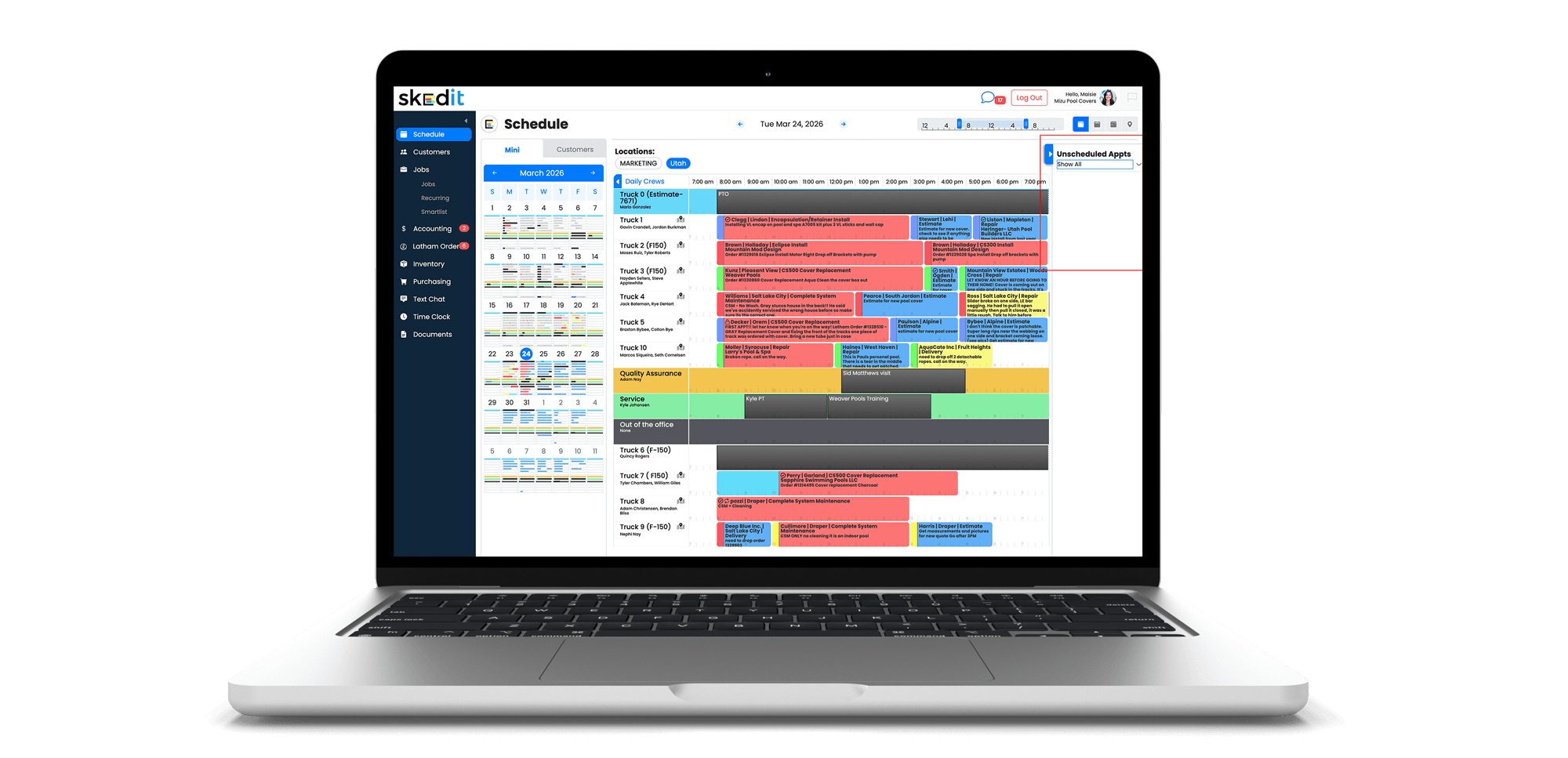

Unscheduled Appointments gives you a dedicated holding area for jobs that are on long-term hold without a specific return date.
This feature is ideal for jobs delayed by rain, pending permits, overlapping work by other trades, or any situation where your crew can’t return yet but the job isn’t complete. Instead of cluttering your schedule, these jobs stay visible and easy to manage until they’re ready to be rescheduled.
Where to Find It
You’ll see Unscheduled Appointments on the right side of your schedule screen—either expanded alongside appointments or as a blue pin below the month and week view selectors.
How It Works
Unscheduled Appointments is an appointment status, just like Scheduled, Billing, or Complete. You can change an appointment’s status to Unscheduled to move it into the holding area, or simply drag and drop appointments directly from the schedule into the Unscheduled section.
This creates a clean, organized dashboard next to your schedule so nothing falls through the cracks.
Helpful Tip
For a list-style view, go to the Jobs tab and use the appointment filter. Select Appointment Status → Unscheduled to see all on-hold jobs in one place—making it easier to follow up and get back to customers quickly.